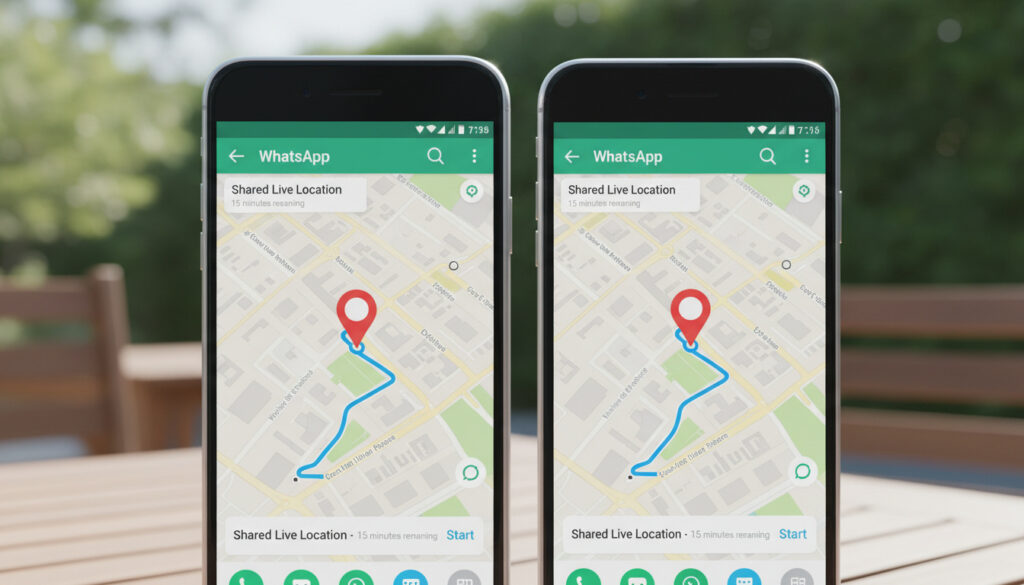
How to Share Location on WhatsApp – Android and iPhone Guide
WhatsApp enables users to share their physical location directly within chats, offering both real-time tracking and static coordinates to coordinate meetings or ensure personal safety. The feature operates through end-to-end encryption, ensuring that only selected recipients can view the shared position data.
The platform provides two distinct methods for location disclosure. Users can broadcast a live location that updates continuously for a specified duration, or transmit a static snapshot representing their position at a single moment. Each approach serves different communication needs and carries distinct privacy implications.
Understanding the technical requirements and step-by-step procedures for both Android and iPhone ensures reliable functionality. Proper configuration of device permissions and awareness of troubleshooting methods prevent common sharing failures.
How to Share Your Location on WhatsApp (Android and iPhone)
One-time pin share showing your position at a specific moment
Real-time tracking available for 15 minutes, 1 hour, or 8 hours
Chat > Plus icon > Location > Select sharing method
Chat > Plus icon > Location with similar permission requirements
- Enable GPS services before initiating any location share
- Live location consumes more battery than static sharing
- End-to-end encryption protects all transmitted coordinate data
- Recipients view live updates through an interactive map interface
- Both individual and group chats support location sharing
- Active internet connection required for sender and recipients
- Optional text comments can accompany live location shares
| Feature | Static Location | Live Location |
|---|---|---|
| Duration | One-time snapshot | 15 minutes, 1 hour, or 8 hours |
| Update Frequency | Single transmission | Continuous real-time updates |
| Battery Impact | Minimal consumption | Higher drain due to GPS usage |
| Privacy Level | Single data point exposure | Movement history visible |
| Ideal Use Case | Fixed meeting points | Travel coordination, safety monitoring |
| Platform Support | All WhatsApp platforms | Mobile primary, web limited |
| Recipient View | Static map pin | Interactive moving map |
| Manual Control | Send once | Stop sharing anytime before expiry |
How to Share Live Location on WhatsApp
Sharing live location requires selecting a specific duration and granting necessary permissions. The process differs slightly between Android and iPhone interfaces, though both achieve identical functionality.
Android Instructions
Open WhatsApp and navigate to your desired individual or group chat. Tap the plus (+) icon in the bottom left corner, then select “Location” from the menu. Choose “Share live location” and select your preferred duration from the dropdown options of 15 minutes, 1 hour, or 8 hours. You may optionally add a comment before sending the message.
iPhone Instructions
The process mirrors Android functionality. Open your chat, tap the plus (+) icon, select “Location,” then “Share live location.” Choose your duration and send. A visual demonstration illustrates the iPhone interface.
When initiating live location sharing, WhatsApp presents three duration presets: 15 minutes, 1 hour, or 8 hours. Select the shortest duration necessary for your specific scenario to minimize battery consumption and privacy exposure. View a demonstration of the available options.
Sharing Location on WhatsApp Web and Desktop
Current Limitations
WhatsApp has not published specific capabilities for Web or desktop location sharing. This functionality may have significant limitations compared to mobile versions. Users seeking to share location data through desktop clients should verify current feature availability directly within the application.
Mobile-First Alternatives
Given the uncertainty surrounding desktop functionality, users requiring location sharing should utilize the mobile application for guaranteed compatibility. The mobile interface provides the full suite of location features including live tracking and static coordinates.
Fix WhatsApp Location Sharing Issues and Stop Sharing
Stopping Active Sharing
To terminate live location sharing before the selected duration expires, return to the specific chat log where you initiated the share and tap “Stop sharing.” This immediately ceases all location updates and prevents further tracking.
Resolving Common Errors
Several technical issues commonly prevent location sharing from functioning correctly. Location services may be disabled at the device level, requiring activation through Android Settings → Location or iPhone Settings → Privacy & Security → Location Services. Outdated WhatsApp versions can also cause failures, resolvable through Google Play Store or App Store updates. Additionally, weak GPS or network signals cause live location updates to lag or fail entirely. Consult this troubleshooting guide for additional solutions.
Location sharing requires enabling GPS services in device settings and granting WhatsApp specific access permissions. On Android, navigate to Settings → Apps → WhatsApp → Permissions → Location. On iPhone, go to Settings → WhatsApp → Location, selecting “While Using the App” or “Always.” Android permission details outline the specific configuration steps.
Both sender and recipient require stable Wi-Fi or mobile data connections. Poor reception or enclosed structures can interrupt live location updates. Moving to open areas or switching to stronger network connections typically resolves transmission delays.
Privacy, Accuracy, and Safety of WhatsApp Location Sharing
End-to-End Encryption
Location sharing operates under end-to-end encryption, meaning only the explicitly selected recipients can view your position. WhatsApp cannot access the shared location data, and the information remains inaccessible to third parties during transmission.
Privacy Controls
Users maintain complete control over when location sharing begins and how long it continues. Static location sharing provides greater privacy protection than live tracking, as it reveals only a single moment rather than continuous movement patterns. For maximum privacy, share static locations rather than live tracking when precise real-time monitoring is unnecessary.
Accuracy Considerations
Location accuracy depends on device GPS capabilities and signal strength. Environmental factors such as tall buildings or indoor locations may reduce precision.
Sequence of Location Sharing Events
- Sender initiates location share through the attachment menu, selecting either static or live mode
- Recipients receive a static thumbnail map in the chat thread
- Tapping the thumbnail opens an interactive map displaying real-time position updates throughout the sharing period
- Recipients can view alternative map perspectives including satellite and terrain views
- Sharing terminates automatically upon duration expiry or manually via “Stop sharing”
- All location data remains encrypted and inaccessible to unauthorized parties throughout the process
Verified Capabilities and Unknown Specifications
| Confirmed Features | Unverified Technical Details |
|---|---|
| Live location functions for 15 minutes, 1 hour, or 8 hours | Specific battery consumption metrics per sharing method |
| End-to-end encryption applies to all location data | Exact GPS accuracy specifications under various conditions |
| Android and iOS procedures are functionally identical | Complete functionality scope of WhatsApp Web location sharing |
| Static sharing transmits single GPS coordinates | Technical specifications of location data compression |
| Sharing requires manual initiation and can be stopped anytime | Historical timeline of feature development and updates |
Practical Applications and Alternatives
Location sharing serves critical functions for coordinating group meetups, monitoring travel safety, and providing emergency coordinates. The feature replaces manual address descriptions with precise GPS data, reducing confusion in unfamiliar areas. Users frequently employ static shares for fixed destinations like restaurants or offices, while live location suits dynamic scenarios such as airport pickups or hiking expeditions.
Various location-based services complement WhatsApp’s native features. For finding specific business locations, tools like Renault Dealer Near Me – Official Locator Guide provide targeted search capabilities. Similarly, local service finders such as Key Cutting Near Me – Costs, Options and Local Services demonstrate the broader ecosystem of location-aware applications available to users.
Official Security Statement
Location sharing is end-to-end encrypted, meaning only the people with whom you explicitly share your location can see your position.
— WhatsApp Security Documentation
Official documentation regarding location sharing is available through the WhatsApp Help Center.
Essential Considerations for Location Sharing
WhatsApp location sharing provides secure, encrypted coordinate transmission for both static and real-time scenarios, though users must remain aware of battery implications and permission requirements. While mobile applications offer full functionality, desktop capabilities remain uncertain. For additional local service discovery needs, consult Key Cutting Near Me – Costs, Options and Local Services.
Frequently Asked Questions
Can I share my location with multiple contacts simultaneously?
Yes. Send location shares within group chats to distribute coordinates to multiple recipients simultaneously. Group members will see your updates alongside other messages.
Does live location sharing function without an internet connection?
No. Both sender and recipients require stable Wi-Fi or mobile data connections to transmit and receive location data. Offline functionality is not supported.
How can I verify who has viewed my shared location?
WhatsApp does not provide read receipts specifically for location shares. Standard message read indicators apply, but individual location view tracking is not available.
What happens when the sharing duration expires?
Live location sharing automatically terminates at the end of your selected duration (15 minutes, 1 hour, or 8 hours). Recipients can no longer view your position unless you initiate a new share.
Can I share a location different from my current position?
Standard functionality transmits your real-time coordinates only. Methods for sharing arbitrary locations distinct from your current GPS position remain unspecified.
Are there costs associated with location sharing?
WhatsApp does not charge fees for location sharing, though standard mobile data rates from your carrier apply for the internet connection required to transmit GPS coordinates.
More related posts
 Gladys Knight: Health, Net Worth, and Career Facts (2024)
 Tim Berners-Lee: Inventor of the Web – Biography and Net Worth
 Next Bank Holiday UK: Dates for 2025, 2026 & Beyond
 Albert Finney: Biography, Movies, and Why He Refused a Knighthood
 Provisional Driving Licence UK: Rules, Cost & Application Guide
 Worzel Gummidge: Quotes, Meaning, History & TV Series Guide
 Marcus Rashford 2026: Man United Return, Net Worth, Biography
 M&S Fosse Park – Opening Hours, Location and Facilities Guide