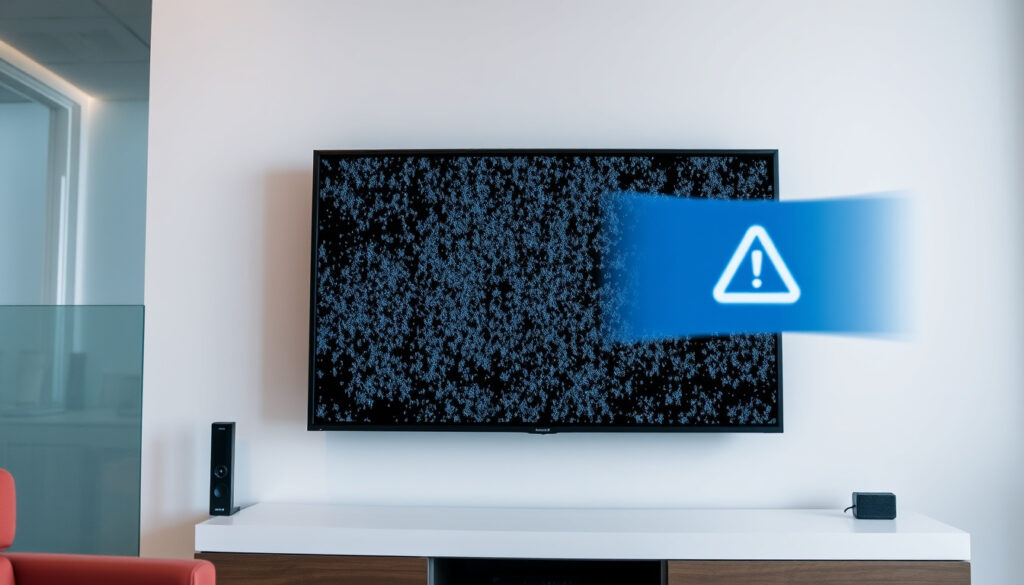
TV Signal Problems Today? Causes & Step-by-Step Fix
There’s a particular frustration that comes with settling in to watch your favourite programme only to be met with a pixelated mess or a blank “No Signal” screen. If you’re in Ireland or the UK and that’s happened today, you’re not alone — weather, transmitter faults, or something as simple as a loose cable could be the culprit.
Saorview coverage: 98% of Irish homes ·
Freeview coverage: 98.5% of UK homes ·
BBC transmitter sites: over 1,000 transmitters
Quick snapshot
- Check if neighbours have same problem (RTIS / Radio and TV Help (UK reception advisory service))
- Note current weather conditions (RTIS / Radio and TV Help (UK reception advisory service))
- Look for transmitter outage alerts (RTIS / Radio and TV Help (UK reception advisory service))
- Weather interference (rain, wind, snow) – especially common in exposed or coastal areas (Local TV Aerials and Satellites (UK aerial specialist))
- Transmitter maintenance or failure (Local TV Aerials and Satellites (UK aerial specialist))
- Loose or damaged aerial cables (Local TV Aerials and Satellites (UK aerial specialist))
- Retune / rescan channels
- Check all connections
- Reset set-top box or TV
- If weather‑related, wait for conditions to improve (RTIS guidance)
- If transmitter fault, report to 2RN (Ireland) or BBC (UK) (BBC Reception Help (UK public service))
Five key facts, one pattern: most TV signal problems today stem from either weather or transmitter issues, and the first step is always to check if your neighbours are affected too.
| Metric | Value |
|---|---|
| Saorview coverage area | 98% of Irish homes |
| Main Irish transmitter network operator | 2RN |
| UK Freeview coverage | 98.5% of homes |
| BBC transmitter fault checker URL | bbc.co.uk/reception |
| RTE service status aggregator | downdetector.ie/status/rte/ |
| Weather impact on signal | Wind, rain, storms cause pixelation, freezing, and loss (Local TV Aerials and Satellites) |
| RTIS advice (weather) | Do not retune during weather problems (RTIS / Radio and TV Help) |
| Household interference source | Heating thermostats can cause brief signal bursts (RTIS) |
Why Has My TV Signal Suddenly Gone?
What causes sudden signal loss?
Sudden signal loss is often the result of a transmitter outage. The first thing to do is check whether neighbours are having the same problem — if they are, it points to a local transmitter fault rather than an issue with your equipment. RTIS (the UK’s Radio and Television Investigation Service) recommends this as the quickest diagnostic step.
Aerial damage from strong wind is another common cause. High winds can move an aerial out of alignment, loosen fixings, or even damage the cable. Local TV Aerials and Satellites (UK aerial installation company) notes that weather often exposes pre‑existing weaknesses rather than being the sole cause.
If your screen went black mid‑programme and you haven’t changed anything, the most likely culprit is either a transmitter fault or wind‑damaged aerial — both are fixable once you know which.
Is it a transmitter fault or aerial issue?
To distinguish: check online tools. For the UK, use the BBC’s transmitter checker (BBC Reception Help) to see if your local transmitter has a known problem. In Ireland, Saorview (Ireland’s free‑to‑air digital TV service) provides a coverage map and fault updates. If the tool says everything is fine but you still have no signal, inspect your aerial — any visible sway, tilt, or loose cable points to physical damage.
Why Is the TV Signal Breaking Up Today?
Why does pixelation occur?
Pixelation — those blocky, frozen patches on the screen — is a classic sign of a weak or intermittent signal. It usually means the data reaching your TV isn’t strong enough to decode the full picture. Local TV Aerials and Satellites states that strong wind, heavy rain, and storms can lead to pixelation, freezing, and intermittent reception.
Is bad weather causing break‑up?
Yes — weather is a primary suspect. Rain and wind can disrupt terrestrial signals by scattering the radio waves or moving the aerial slightly. The effect is especially noticeable in exposed or coastal areas. RTIS advises that if the break‑up coincides with rain or high winds, the best action is to wait for the weather to pass — and do not retune during the disturbance.
If pixelation happens repeatedly in dry, calm weather, the cause is likely a loose connection, a damaged aerial, or interference rather than weather.
The implication: weather‑related break‑up is temporary. Once the storm clears, most signals return to normal without any intervention.
Is the Weather Causing TV Signal Problems?
How does rain affect TV signal?
Rain causes signal attenuation — the raindrops absorb and scatter the radio waves, reducing the strength reaching your aerial. This is known as “rain fade” and affects both terrestrial and satellite television. Local TV Aerials and Satellites describes rain‑related hissing or fading as a possible sign of water entering the external down‑lead cable.
Does heavy cloud cause issues?
Heavy, thick cloud can also degrade the signal, though the effect is usually less dramatic than rain. Satellite TV is more sensitive to cloud cover because the signal must travel through the entire cloud layer. RTIS notes that viewers with variable coverage may experience occasional hissing or fading, which can be made worse by heavy wet cloud.
Why this matters: if you primarily watch satellite (e.g., Sky, Freesat), bad weather today is a much more likely cause than for terrestrial Freeview. Knowing which platform you’re on helps narrow the fix.
How to Check for Transmitter Faults
Use the BBC transmitter checker
UK viewers can visit the BBC Reception Help (official BBC tool) and enter their postcode. The tool shows which transmitter serves your address, its signal strength, and any current faults. RTIS recommends this as the first step for anyone experiencing issues.
Check Saorview service updates
Irish viewers should consult the Saorview website (Ireland’s national DTT service) for coverage maps and known outages. The network is operated by 2RN (the Irish national DTT network provider), who also handle transmitter maintenance reports.
Use DownDetector for RTE
For issues with the RTÉ Player (Ireland’s public‑service streaming service), check DownDetector Ireland (real‑time outage aggregator). This crowdsourced tool shows whether other users are reporting problems — a spike in reports confirms a wider issue rather than something on your end.
The pattern: all three tools let you separate a personal equipment problem from a network‑wide fault. If the tool shows no issues, move to the step‑by‑step guide below.
How to Regain Signal on TV: Step‑by‑Step Guide
- Step 1: Check all cables and connections
Loose, corroded, or damaged cables are a leading cause of signal loss. Tighten every connection from aerial to TV or set‑top box. Local TV Aerials and Satellites notes that water ingress into the cable can cause hissing and fading. - Step 2: Rescan channels
If a retune has happened recently (some are automatic), you may need to rescan manually. RTIS advises a manual retune to the transmitter your aerial points towards if you’ve already done an automatic retune and lost channels. - Step 3: Check aerial alignment
After a storm, the aerial may have rotated slightly. Look for any obvious movement. If you can safely access the roof, check the fixings. In exposed areas, wind is a known cause of misalignment (Local TV Aerials and Satellites). - Step 4: Wait for weather to clear
If none of the above help and the weather is bad, patience may be the only solution. RTIS says there is nothing to do except wait for conditions to change.
If you’ve already retuned during bad weather, you may have lost channels permanently. You’ll need to do a manual retune to the correct transmitter once the weather clears — that’s the one step that actually requires a fine‑tuned radio.
The trade‑off: DIY fixes work for loose cables and simple retunes. For a damaged aerial or persistent faults, professional help from a registered aerial installer is the only safe bet.
Confirmed facts
- Weather is a common cause of temporary TV signal loss (Local TV Aerials and Satellites)
- Transmitter faults can be checked via official online tools (BBC, Saorview)
- Loose cables often cause pixelation and no signal (RTIS)
What’s unclear
- Why a specific channel went off air without notice
- Duration of ongoing transmitter maintenance
- Whether heating thermostat interference is affecting your picture (RTIS notes this is possible but uncommon)
“If reception problems are caused by weather conditions, there is nothing to do except wait for conditions to change. Do not retune during weather problems.”
RTIS / Radio and TV Help (UK reception advisory service)
“For transmitter faults, contact our network operator 2RN at nmc@2rn.ie with your address and details of the problem.”
Saorview Support (Ireland’s DTT service)
For Irish viewers experiencing RTÉ Player problems today, the weather remains the dominant factor — heavy rain can knock out both broadcast and streaming services. UK viewers with BBC iPlayer issues should first check Freeview signal strength, as a weak aerial signal will cause buffering even on fast broadband.
If you’re dealing with a poor signal today, check common causes for pixelation before assuming it’s a major transmitter fault.
Frequently asked questions
Is there a problem with RTE Player today in Ireland?
Check DownDetector Ireland for real‑time reports. If many users report issues, it’s a service‑wide problem. Otherwise, check your broadband connection.
Why is BBC 1 off air today?
Use the BBC Reception tool to check for transmitter faults in your area. Planned maintenance can take a channel off air for several hours.
What does ‘No Signal’ mean on my TV?
It means the TV is not receiving any data from the aerial. This can be due to a transmitter fault, a disconnected cable, a damaged aerial, or a severe weather event.
How can I check my TV aerial signal strength?
Most digital TVs have a built‑in signal strength meter in the settings menu. For Freeview, go to Settings > Signal Information. For Saorview, check the installation menu. Alternatively, use the BBC transmitter checker which estimates signal quality at your postcode.
Why is my TV freezing on RTÉ Player?
Freezing on RTÉ Player is usually a broadband speed or connection issue. Check your internet speed, reset your router, or try a lower video quality. If the problem persists, visit DownDetector to see if others report the same.
For any viewer in the UK or Ireland, the decision when faced with TV signal problems today is clear: first rule out a transmitter fault (use BBC or Saorview tools), then check cables and aerial, and only retune if you’re sure the weather is stable. If none of that works, a registered aerial installer is your next step — because a pixelated screen today doesn’t have to mean a lost programme tomorrow.
More related posts
 Wynne Evans: Axed, Split, Weight Loss, New Radio Show
 Book a Driving Test – UK DVSA Guide and Early Tips
 James Cartwright: Partner, Age, Exit from Coronation Street
 Charles Oliveira on OnlyFans, Record, Age, and Next Fight
 Au Vodka: Owner, Alcohol Content, Reviews, and Price
 Marks and Spencer Bras: Best for Comfort & Support
 Iran Supreme Leader: Role, Powers, and Succession Explained
 Benson Boone Mystical Magical: The Hit Single Breakdown